



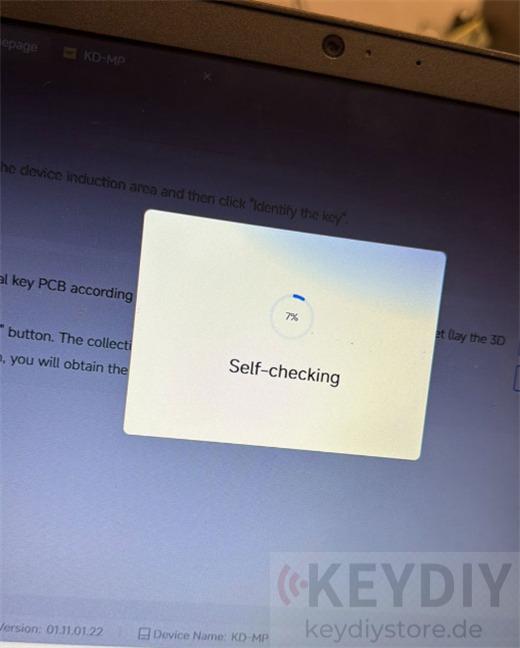
If your KEYDIY KD-MP displays a “Self-Checking Failure” message or repeatedly fails during MQB48 data calculation, don’t worry. In many cases, the issue is not caused by the software itself, but by an unstable hardware connection during the reading process.
This article explains a real-world troubleshooting case and shows how to successfully complete MQB48 data calculation on vehicles such as the 2018 Audi A3.
The Issue
A technician was attempting to read an original MQB48 key from a 2018 Audi A3 using:
- KEYDIY KD-MP Programmer
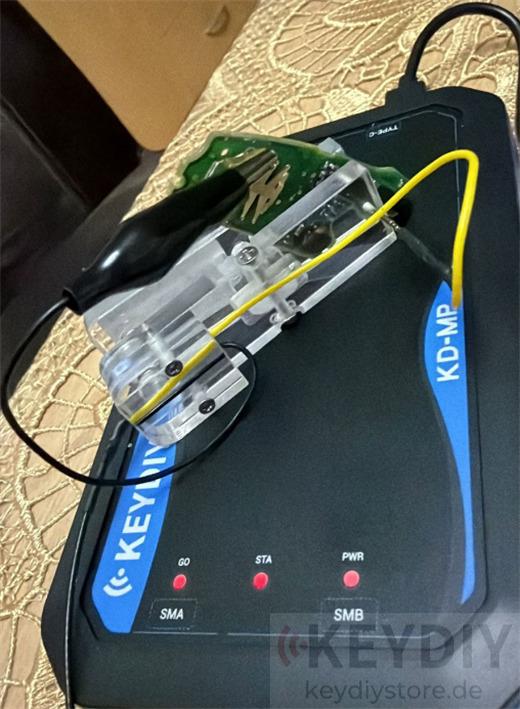
- MQB48 Solder-Free Adapter Clip
Even after carefully repositioning the key several times and making sure the PCB was flat and correctly seated, the KD-MP continuously reported a Self-Checking Failure and could not complete the data calculation process.
What Causes the Error?
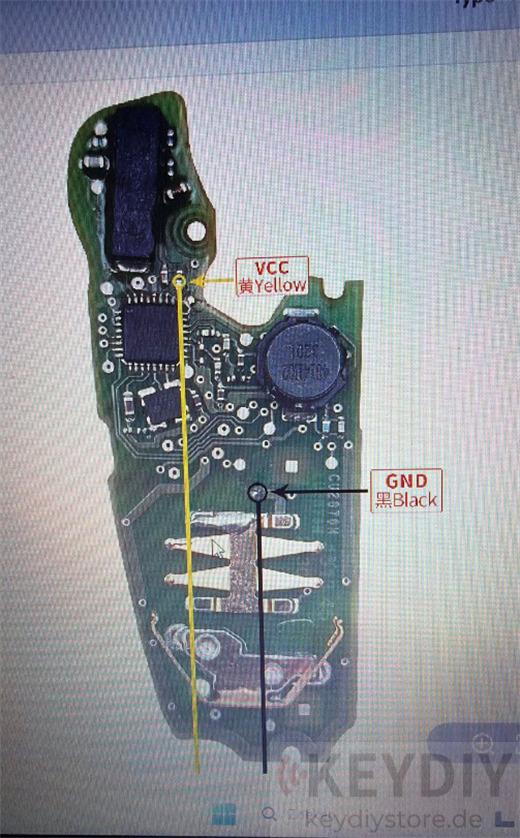
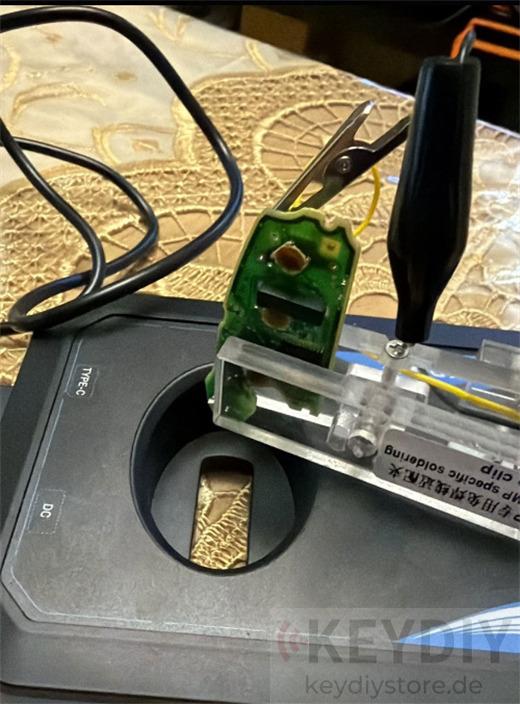
After inspection, the problem was traced to an unstable GND and power contact between the adapter clip and the key PCB.
When the clip fails to establish a reliable connection with the correct power points on the board, communication becomes unstable and the calculation process cannot be completed successfully.
The solution is simple but critical:
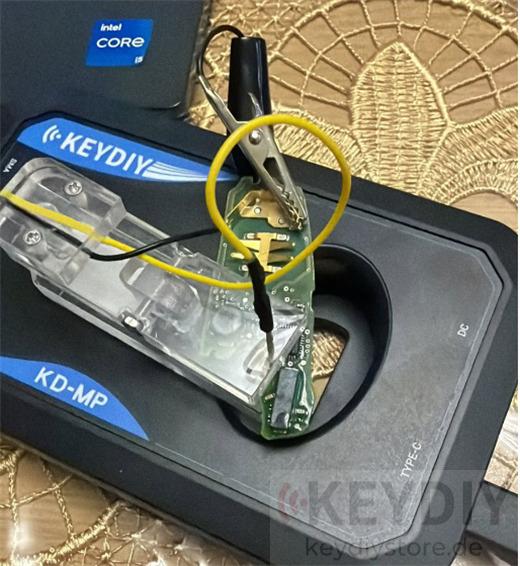
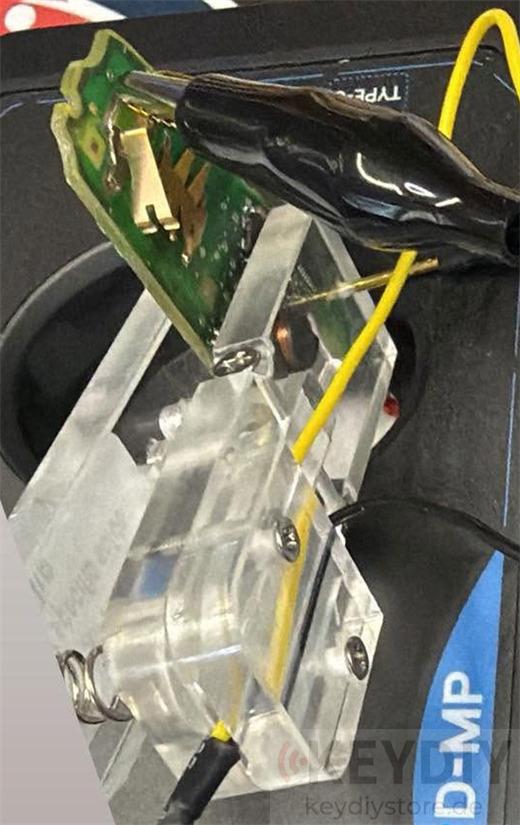
Make sure the power clip is firmly connected to the Battery Positive (+) terminal on the key PCB.
On MQB48 keys using a CR2032 battery:
- The upper flat battery contact is the Positive (+) terminal.
- The lower battery contact inside the battery holder is the Negative (-) terminal.
A secure connection to the positive terminal ensures stable communication and prevents calculation interruptions.
Additional Tips for Stable Reading
To improve reading success rates, follow these recommendations:
1. Use the Included Sponge Pad
Always place the supplied foam/sponge support underneath the PCB before attaching the adapter.
This helps maintain constant pressure between the clip pins and the chip contacts, resulting in a more reliable connection.
2. Complete Hardware Setup Before Powering On
Before connecting or powering the KD-MP:
- Position the PCB correctly
- Secure the adapter clip
- Verify alignment
- Check all contact points
Only then should you begin the reading procedure.
Successful Result
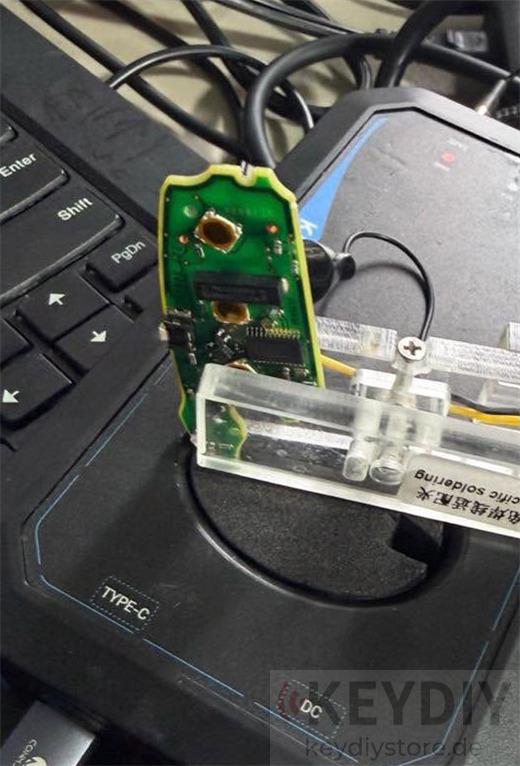
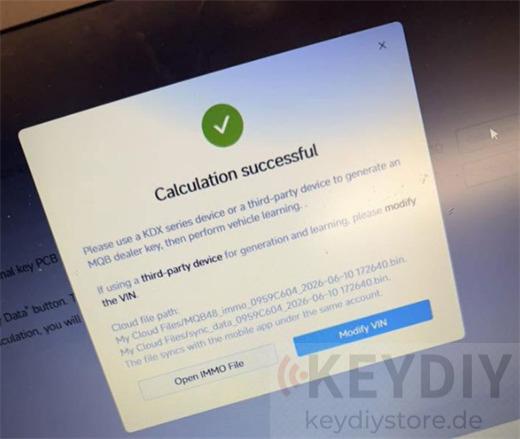
After repositioning the power clip directly onto the Battery Positive (+) terminal and improving contact pressure, the communication stabilized immediately.
The KD-MP successfully completed the self-check process and calculated the MQB48 vehicle data without any errors.
Conclusion
If your KEYDIY KD-MP key programmer reports a Self-Checking Failure while reading MQB48 keys, the problem is often caused by poor adapter contact rather than a software fault.
By ensuring proper connection to the battery positive terminal, using the supplied support pad, and maintaining stable pressure during reading, you can significantly improve calculation success rates and avoid unnecessary troubleshooting.
For technicians working with MQB48 platforms, proper adapter positioning is often the key to a successful read.
Recommended Tool Set for MQB48 Key Programming
For technicians who frequently work with MQB48 keys, a complete solution can significantly improve reading stability and programming efficiency.
The combination of the KEYDIY KD-X4 and KD-MP Full Version provides a powerful platform for transponder generation, remote programming, MQB48 data processing, and key learning operations.
Product Link:
https://www.keydiystore.de/wholesale/keydiy-kd-x4-plus-kd-mp-full-version.html
This bundle is suitable for locksmiths and workshops looking for an all-in-one KEYDIY solution for VAG, Toyota, and other modern immobilizer systems.
Leave a Reply